Building an AI noise logging app in a week, with nothing leaving the phone
About the Client.
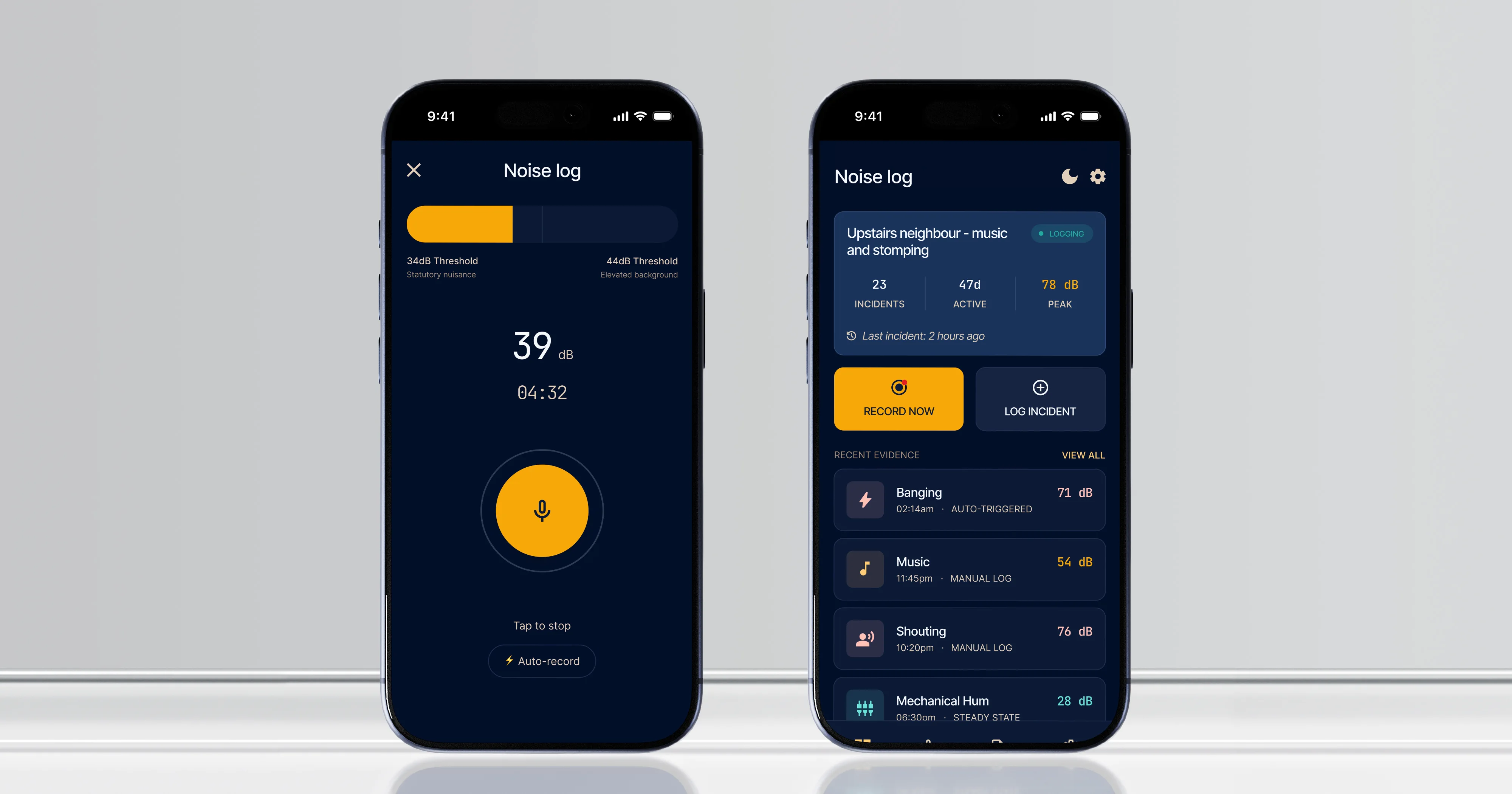
Noise complaints in the UK fail for a predictable reason. The disturbance happens, the resident makes a mental note, and weeks later they tell the council it has been going on for months. Councils cannot act on that. They need incidents that are dated, timed, and ideally measured. NoiseCase is a mobile app that records incidents as they happen, holds them against a case, and produces one PDF report a council can act on.
01
Week from start to a working MVP100%
On-device processing, no recording leaves the phone by default01
Single tap to log an incident within the app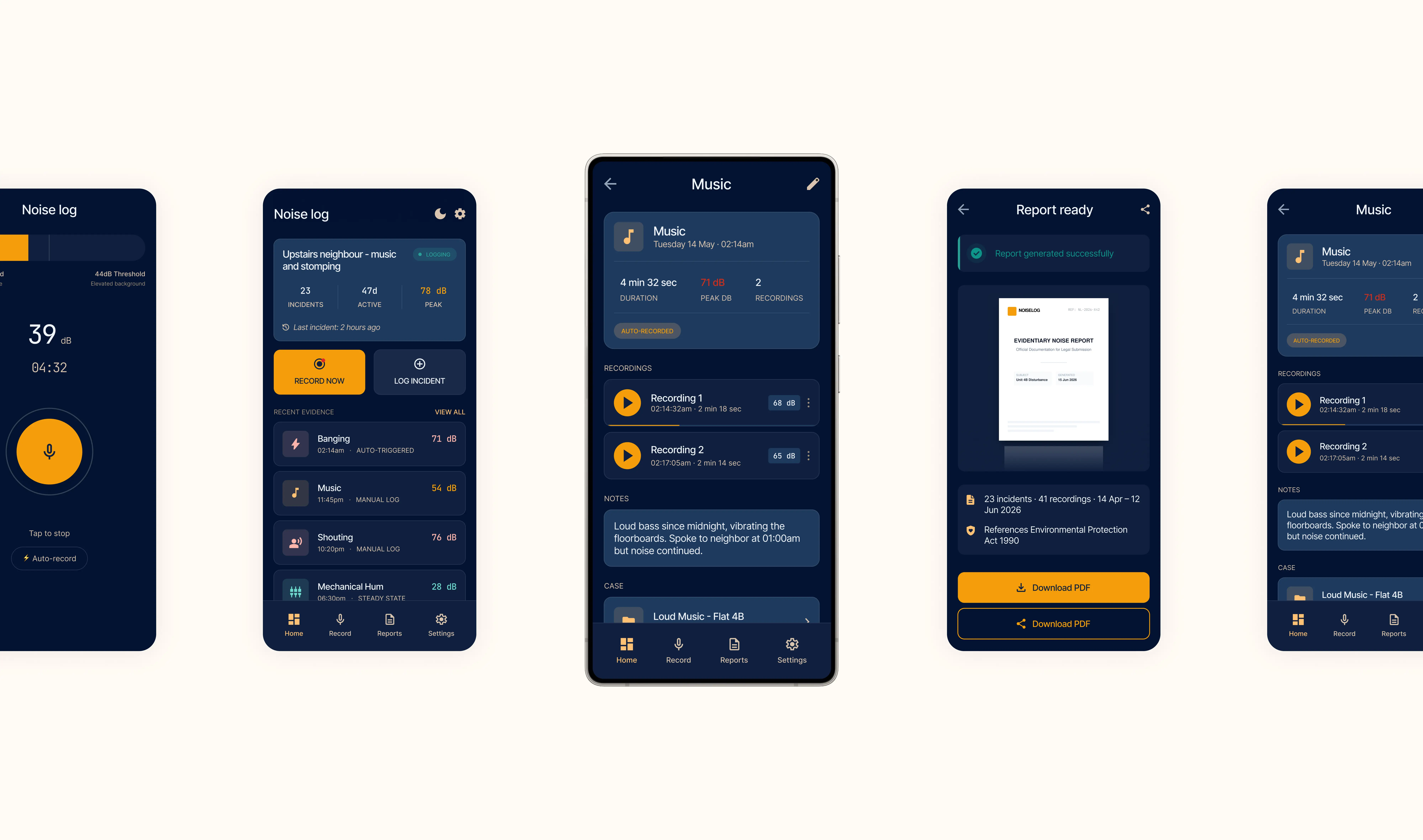
The decisions that shaped the product
01
Recording in as few taps as possible
Evidence is only captured if capturing it is effortless at the moment of the disturbance. We built a home screen widget on iOS and a persistent quick-record notification on Android, so logging an incident does not require finding and opening an app first.
02
An interface that looks like an instrument, not an app
The design borrows from measurement equipment rather than consumer software: dark, high contrast, with a monospaced typeface for timestamps and decibel values. That makes it immediately clear what is recorded data and what is the user's own commentary, and councils treat a report that reads like data more seriously than one that reads like a diary.
03
On-device AI, because the recordings are sensitive
The app records inside people's homes, often at night. Every recording and every AI-generated summary is processed on the phone, and nothing is sent anywhere unless the user chooses to sync it. Cloud inference would have been simpler to build and wrong for this product.
04
Capturing what happens while you are asleep
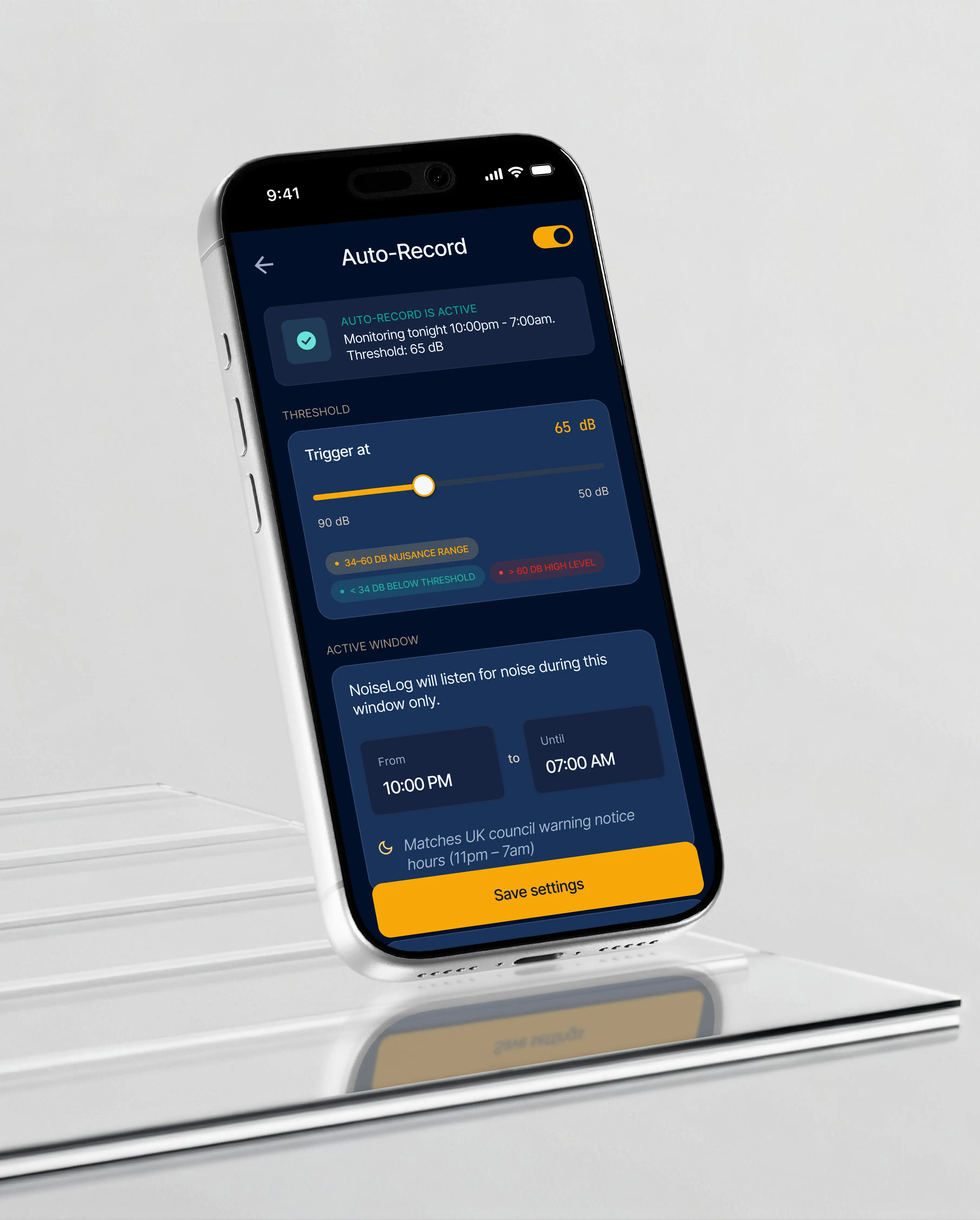
Recurring overnight disturbances are the hardest to evidence, because the person affected is unconscious when they occur. An optional auto-record mode on Android captures clips when a decibel threshold is crossed, kept behind a setting rather than on by default.
How we built it
Scope narrowed deliberately
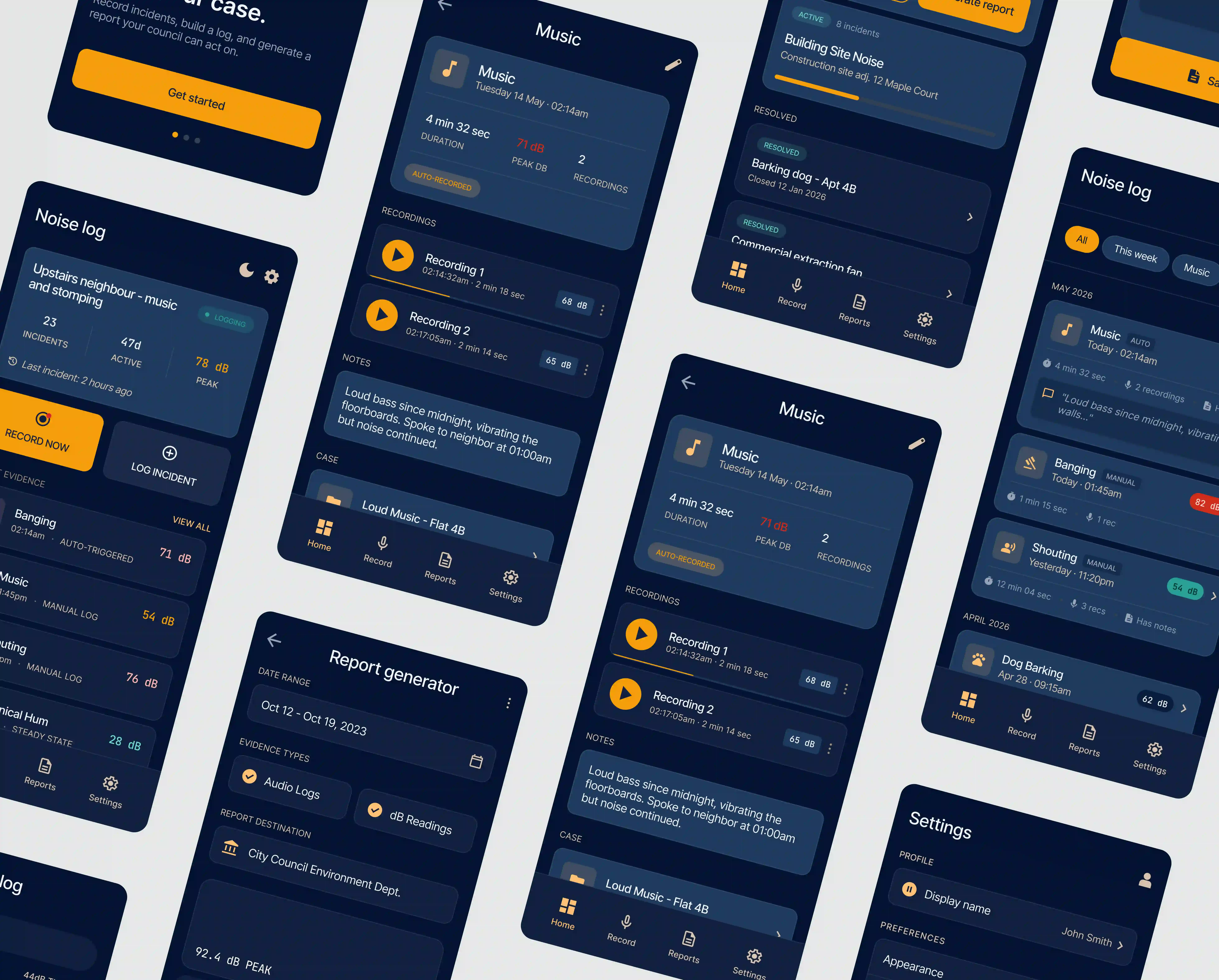
The MVP does four things: one-tap recording with timestamp and decibel reading, manual logging for incidents already over, PDF report generation with AI-assisted summaries, and offline operation with optional sync. Everything else was left out. The trade-off was speed against completeness, and on a product testing whether people will log evidence at all, speed is the right side of that.
Designed fast, then refined
Initial layouts were produced in Google Stitch and refined in Figma before going into the build, with internal review driving small changes to button placement, text sizes, and colour. Using AI for the first pass and human judgment for the refinement is how a one-week timeline held without the interface looking like it.
Flutter, with AI where it does real work
Flutter for one codebase across iOS and Android, and Google AI Studio for the AI components, with inference running locally. The engineering problems worth recording were both hardware-adjacent: microphone behaviour on Android could not be tested in a simulator, and AI-assisted code needed manual correction rather than acceptance. Both are the kind of thing that shows up on a real build and not in a demo.
Tech stack


What we did
The AI is not a feature bolted to the side of it. Summarising a scattered set of logged incidents into a readable report is the work that would otherwise stop an ordinary resident from ever submitting a complaint, and it happens on the phone. No recording and no summary leaves the device unless the user opts into sync, which was a design constraint set before the build rather than a privacy policy written after it.
Result and impact
As proof of capability, this is what it claims to be. An AI-powered product with inference running on the device, built in one week, where the AI does the job that would otherwise stop the product being used. When Exline Labs says it builds AI-powered products rather than AI demos, NoiseCase is the thing behind that sentence.
Frequently asked questions
Can you build AI into a mobile app in a week?
NoiseCase was, with on-device inference and AI-generated report summaries. What makes that possible is narrow scope: four things done properly rather than twelve done partly. One week is not a promise for every AI app, and the scoping call is where we establish which yours is.
Do you use AI to write code?
For first drafts, with human review and correction. On NoiseCase, AI-assisted code needed manual fixes, which is the normal state of things rather than a surprise. It speeds up the build. It does not replace someone who understands what the code is doing.
Do you build your own products as well as client work?
Yes. NoiseCase is one of them. Building and shipping our own products is how we test tools and approaches before recommending them to clients, and it is why our AI claims come with software attached.
Should AI run on the device or in the cloud?
It depends what the AI is handling. NoiseCase processes audio recorded inside people's homes, so on-device was the only defensible choice. Cloud inference is easier to build and gives access to larger models, and for non-sensitive data it is often the better answer. The decision belongs at the architecture stage, not afterwards.
What does AI-powered actually mean when you say it?
That the AI does work the product could not do without it. In NoiseCase it turns a scattered set of logged incidents into a report a council will act on, which is the step that would otherwise stop a resident from complaining at all. Where AI would not improve a product, we say so.
Can you build a cross-platform app that uses device hardware?
Yes, with the caveat that hardware needs real devices to test against. NoiseCase uses the microphone continuously and decibel measurement throughout, and simulators were not sufficient for any of it. That testing time has to be in the plan from the start.
Got a product that needs AI doing real work?

Tharsh Thangavadivel
Founder, Exline LabsTell us what you are building. We will scope it and give you an honest view of where AI belongs in it, where it does not, and what it would cost.
40Love mobile app MVP
Another Flutter build, delivered for a client. See that case study.
Read the case study →